
Coloring Games & Coloring Kids
GunjanApps StudiosEducational
3.9285.00 Reviews
- Version
- 9.5
- Installs
- 5.00M
- Age Rating
- Everyone
Screenshots
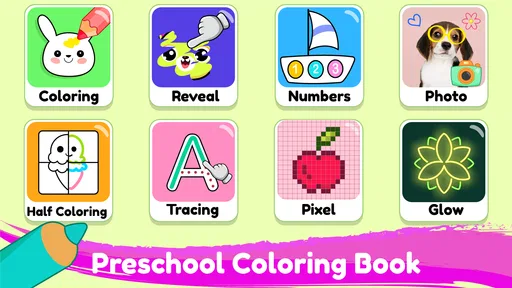
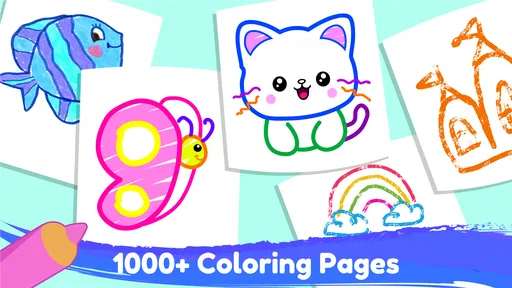
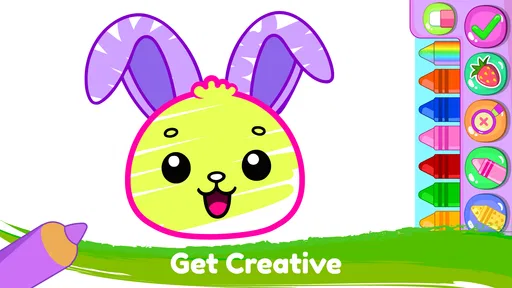
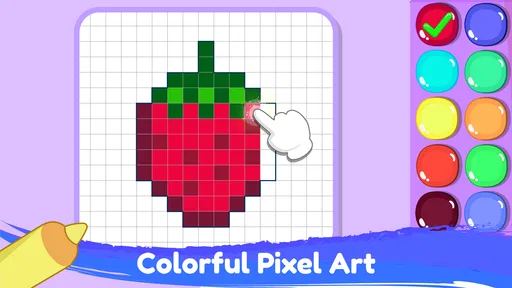
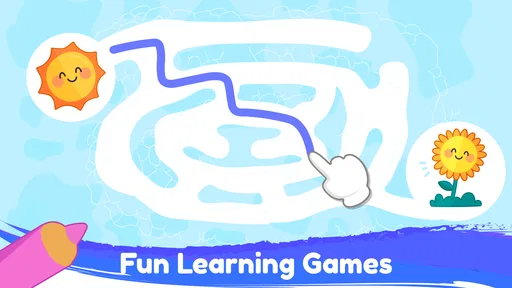
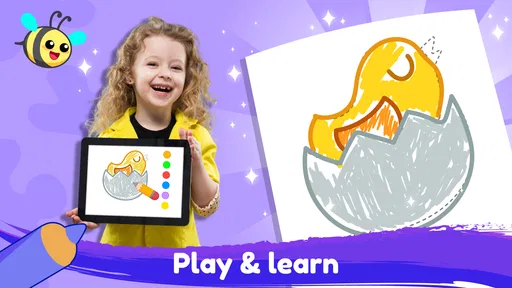
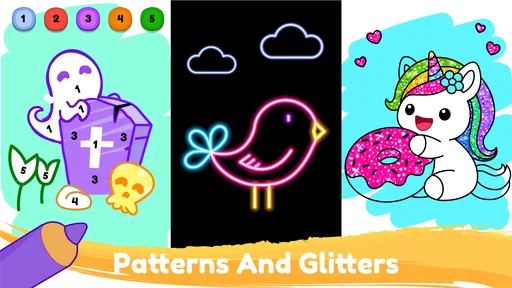
Our Review of Coloring Games & Coloring Kids
 Analysis by Appyee
Coloring Games & Coloring Kids is the kind of educational game I would hand to a young child who wants to draw but still needs a very simple place to begin. I spent time with it as a preschool coloring activity, and its appeal is easy to understand: there is no complicated story to follow, no demanding challenge system, and no pressure to produce a perfect picture. The focus stays on choosing colors, filling drawings, and enjoying a quiet creative task.
That simplicity is also the most important thing to understand before installing it. This is not a full digital art studio, and it is not designed for older children who want detailed illustration tools. It is a straightforward coloring game for toddlers and preschool learners, developed by GunjanApps Studios. The game is free to start, carries an Everyone age rating, and has become a widely used choice with more than five million installs.
My overall impression is positive when the app is used for short, supervised sessions. It works especially well as a calm activity after school, during a restaurant wait, or when a child wants something creative that does not require reading. However, parents should approach it as a basic early-learning coloring tool rather than a complete replacement for paper, crayons, or a more advanced drawing app.
How the everyday coloring workflow feels
I find the everyday workflow works best when I prepare the game before handing over the device: choose a picture, make sure the child can reach the screen comfortably, and let them explore without rushing to correct every color choice. That keeps the activity calm and gives me room to turn a tap into a quick conversation about shapes or familiar objects. It also makes the limits of this simple format easier to judge, which is what I’ll consider next.
Start with a simple choice instead of a complicated menu
The best way to use the game is to let the child choose a picture and begin immediately. That matters with preschoolers, because a long opening sequence or a crowded menu can turn curiosity into frustration. In my experience, the value here comes from reducing the number of decisions: pick a drawing, select a color, and touch the area that should be painted.
This basic loop gives a child a clear cause-and-effect lesson. A tap changes the picture, and the result appears straight away. That makes the game suitable for children who are still developing hand control and learning how colors behave on a screen. It also gives adults an easy opportunity to talk about color names, objects, shapes, and choices without turning play into a formal lesson.
I found it more useful to treat each drawing as a short activity rather than expecting a child to sit through a long session. A young player may color enthusiastically for a few minutes, then lose interest or start tapping randomly. That is normal. Saving the game for another moment keeps it feeling like play instead of homework.
A realistic use case for parents
Imagine a child waiting while a parent finishes a phone call or prepares dinner. This game can provide a contained creative task without requiring a stack of paper or a box of washable crayons. I would open it first, choose a suitable picture, and then let the child take over while staying nearby. The adult can ask questions such as “Which color would you use for the sky?” or “Can you find the biggest shape?”
That small amount of interaction makes the experience more valuable than leaving the child alone with a screen. The app supplies the activity, but the learning comes from the conversation and the child’s decisions. It can support vocabulary and recognition, although I would not present it as a structured reading or mathematics lesson.
Why the simple controls work for early learners
Preschool children often need forgiving controls more than they need visual complexity. A coloring interface that expects precise drawing can be tiring for small fingers. Here, the activity is based on filling parts of an illustration, so the child can focus on selecting colors rather than mastering a brush.
There is a useful trade-off in that design. A child can feel successful quickly, but the game offers less practice in drawing lines, tracing shapes, or controlling a freehand pencil. If your main goal is handwriting preparation or fine motor training, I would combine this with paper drawing or a dedicated tracing activity.
What the free starting point means in practice
The game is free, which makes it easy to try before deciding whether it belongs on a family device. That is helpful because children respond differently to digital coloring. Some enjoy filling pictures repeatedly, while others want animation, stories, or open-ended drawing almost immediately.
There are in-app purchases priced from $4.99 to $5.99 per item. I would not make a purchase simply because a child asks for more content in the moment. First, watch whether the free experience becomes part of a repeatable routine. If the child returns to it willingly and the available drawings fit your needs, then you can make a more deliberate decision. If interest fades quickly, the free version may already be enough for occasional use.
Settings and habits worth checking before handing it over
I recommend that an adult open the game first and explore the available screens before giving the device to a child. This is less about hunting for secret options and more about understanding the flow. You can see how easily a child moves between pictures, where purchase prompts may appear, and whether the current device setup feels comfortable for small hands.
Because the game is intended for Everyone, its presentation is approachable for very young players. Even so, an age rating should not be confused with a promise that every child will enjoy it equally. A toddler who is just learning to tap may need help at the beginning, while an older preschooler may move through the basic activity quickly.
I also suggest setting a clear session habit: choose one or two pictures, finish them, and then stop or switch to an offline activity. This prevents the app from becoming an endless background distraction. The habit is more effective than searching for a perfect setting, because it gives the child a predictable start and finish.
Small adjustments that improve the experience
Screen size makes a noticeable difference. On a small phone, a child may accidentally touch nearby controls or struggle to see the boundaries of an illustration. A larger tablet can make the coloring areas easier to understand, although it also deserves a firm grip or a stable surface so the device does not slide around.
Brightness is another practical consideration. A very bright screen can make a quiet coloring session feel more stimulating than necessary, especially in a dim room. I prefer a comfortable brightness level and a seated position where the child is not holding the device close to the face.
It is also worth checking the device before a trip. Downloaded games are most useful when they are ready before a child becomes restless. I would test the activity at home, confirm that the child understands the basic taps, and avoid introducing it for the first time during a stressful journey.
Faster patterns for repeat play
Experienced use does not require complicated tricks. The fastest pattern is simply to prepare the environment and repeat the same short workflow: open the app, choose a picture that matches the child’s mood, name a few colors, and let the child complete the image without constant correction.
For a child who becomes indecisive, limit the choice verbally. Instead of asking which of every possible color should be used, offer two options. This keeps the activity moving and turns coloring into a small decision-making exercise. It also prevents the menu or palette from becoming more interesting than the picture itself.
Another useful pattern is to connect the screen drawing with real objects. If the child colors an animal, look for a toy animal afterward. If the picture shows fruit, name the fruit during snack time. This gives the digital activity a second stage and helps it feel less isolated from everyday learning.
Repeating a picture can also be worthwhile. Adults sometimes assume that a child should always move to a new image, but repeating the same drawing can build confidence. The first attempt may be exploratory; the next may involve more deliberate color choices. I would encourage repetition when the child requests it, while still offering paper and physical art materials as alternatives.
Where it compares well with ordinary alternatives
Compared with paper and crayons, the game is cleaner, faster to set up, and easier to use in places where spilled supplies would be inconvenient. A child can change colors without needing a new sheet, and parents do not have to gather several materials before the activity begins.
Paper still wins for tactile feedback and physical control. Holding a crayon, pressing harder or softer, and drawing beyond a boundary all teach things that a tap-based coloring game cannot fully reproduce. My preferred approach is not either-or: use the app for a quick digital activity, then offer paper when there is time for deeper creative play.
Compared with open-ended drawing apps, this game is less intimidating for a beginner. A blank canvas can be exciting, but it can also leave a young child unsure what to do. Pre-made coloring pictures provide an immediate starting point. The trade-off is that children who already enjoy making their own characters may find the experience restrictive.
Compared with more elaborate educational games, Coloring Games & Coloring Kids has a narrower purpose. It does not need a complicated reward structure to make coloring understandable, but it also may not hold the attention of children looking for stories, puzzles, or progressive lessons.
Advanced limits that parents should understand
The most important limitation is depth. This is a beginner-friendly coloring activity, not a tool for detailed artistic development. A child who wants to practice drawing recognizable figures, mixing colors, or building a scene from scratch will eventually need something more flexible.
There is also a risk of passive tapping if adults never add conversation or a follow-up activity. Filling areas can become repetitive when it is treated only as a way to occupy time. I get more value from it when I use the picture as a prompt: we discuss what is shown, compare colors, or ask the child to imagine a different setting for the image.
Another limitation is that digital success can be easier than physical coloring. If the game fills a region with a tap, a child may not practice staying inside a line in the same way they would with a pencil. That is not a flaw for casual entertainment, but it matters if the parent’s main goal is pencil control.
The purchase system is another reason to supervise use. Since individual in-app items cost between $4.99 and $5.99, I would keep purchasing decisions with the adult and avoid allowing a child to explore them freely. The free entry point is convenient, but it should not encourage unplanned spending.
Who should use it and who should skip it
I think this game is a good fit for toddlers and preschoolers who enjoy tapping, choosing colors, and completing recognizable pictures. It is particularly useful for families wanting a low-pressure creative activity that can be introduced in short sessions. It may also suit grandparents or caregivers looking for an easy game to play alongside a child.
I would skip it if you are looking for a serious drawing tool, a structured curriculum, or a game built around advanced challenges. Older children may outgrow the simple format, especially if they prefer freehand art or goal-based gameplay. I would also look elsewhere if you want an activity that works best without adult involvement; this app is more meaningful when someone occasionally talks with the child about what they are doing.
Device fit, version, and long-term expectations
The current version is 9.5, and it supports devices running Android 7.0 or later. That makes compatibility an important first check for families using an older phone or tablet. If the device meets that requirement, the practical question is less about technical ambition and more about whether the screen and controls suit the child.
The game was released on May 26, 2018, and its continued presence alongside more than seven thousand ratings suggests that it has found a stable audience. Its average rating is 3.9, which matches my balanced view: the core activity is accessible and useful, but its simplicity will not satisfy everyone.
Those figures are best read as context rather than a guarantee. A rating cannot tell you whether your particular child prefers coloring, and a large install base does not make the app automatically better than paper or another art tool. The important test is whether the child returns to the activity with interest and whether the adult can use it within a healthy routine.
My mastery verdict after using the routine
After trying the app as a repeatable preschool activity, I see its strength in the small details of use rather than in advanced features. Prepare the device, begin with a clear picture, limit distractions, talk about the colors, and end the session before the child becomes restless. That workflow makes the simple design work in its favor.
The best results come from treating it as a creative prompt, not as a complete education system. It can encourage color recognition, choice-making, and short periods of concentration, but it cannot replace hands-on art, conversation, or broader preschool learning.
For families who want an accessible free starting point, Coloring Games & Coloring Kids is worth trying. I would recommend it to a friend with a young child who enjoys simple coloring and needs an activity that can be started quickly. I would keep expectations realistic, supervise purchases, and pair screen sessions with crayons, paper, books, and real-world play.
In the end, this is a modest game with a clear purpose. It succeeds when a child wants to fill pictures and feel creative without facing difficult controls. It falls short when the child needs open-ended drawing, richer educational progression, or a more demanding challenge. Used in the right setting, it is a pleasant little tool for early creative play rather than a substitute for everything else.
Verdict
Strengths of Coloring Games & Coloring Kids
- Simple controls make it easy for young children to color independently.
- A wide range of pictures keeps drawing sessions varied and engaging.
- Bright colors and playful sounds create an appealing experience for kids.
- Works well as a relaxing screen-time activity for preschool-aged children.
- Completed drawings can encourage creativity and a sense of achievement.
Limitations of Coloring Games & Coloring Kids
- Some content or features may require in-app purchases to unlock.
- Frequent ads can interrupt play, especially in the free version.
- The app may collect usage data depending on device and privacy settings.
- Limited tools may feel basic for older children seeking advanced artwork.
- Sound effects can become repetitive during longer coloring sessions.
Other Releases by GunjanApps Studios
View All
Baby Piano Games & Kids Music
Music4.3
Similar Picks in This Category
View All
Little Panda Policeman
BabyBus4.0

Monster Trucks Game for Kids 2
Raz Games4.1

Little Panda's Chinese Recipes
BabyBus4.4

Little Panda's Restaurant
BabyBus4.4

Little Panda's Ice Cream Games
BabyBus4.3

Baby Panda Care
BabyBus3.8
Frequently Asked Questions
What is Coloring Games & Coloring Kids?
Coloring Games & Coloring Kids is a child-friendly digital coloring app designed to let young users create colorful pictures using simple touch controls. It usually includes themed drawings, coloring pages, paint tools, brushes, and color palettes. The interface is made to be easy for children to understand, while still offering enough variety to keep coloring sessions entertaining and creative.
Is Coloring Games & Coloring Kids suitable for young children?
The app is generally aimed at children, particularly preschoolers and early elementary-age users. Its simple controls and visual design make it accessible even for children who are still learning to use a touchscreen. Parents should still check the recommended age rating, available content, advertisements, and any in-app purchase settings before allowing unsupervised use.
Does the app require an internet connection?
Many coloring activities can usually be accessed offline after the application has been installed, which makes it convenient for travel or situations without Wi-Fi. However, an internet connection may be required for downloading additional coloring pages, displaying advertisements, restoring purchases, or accessing certain online features. Availability can vary depending on the app version and device.
Are there advertisements or in-app purchases?
Coloring Games & Coloring Kids may include advertising, locked content, or optional in-app purchases, depending on the version and platform. Some coloring pages or tools may be available only after watching an advertisement or upgrading. Parents should review the store listing and configure parental controls to prevent accidental purchases, especially when children use the device independently.
What devices are compatible with Coloring Games & Coloring Kids?
The app is typically available for supported Android and iOS smartphones or tablets, but compatibility depends on the operating system version, available storage, and the developer’s current requirements. Before downloading, check the official Google Play or App Store listing for the latest device information. A tablet with a larger screen may provide a more comfortable coloring experience for children.
Play our best games!


